1) If you know how to use Google Maps: go to your house, center it, zoom out to show at least 10 roads and send us the link & the old map (s) you want us to send.
2) If you need some guidance, print out these Step by Step Instructions
Step by Step Instructions
=========================================
We use Google Maps which allows you to pick a map (& zoom level) and then email it!
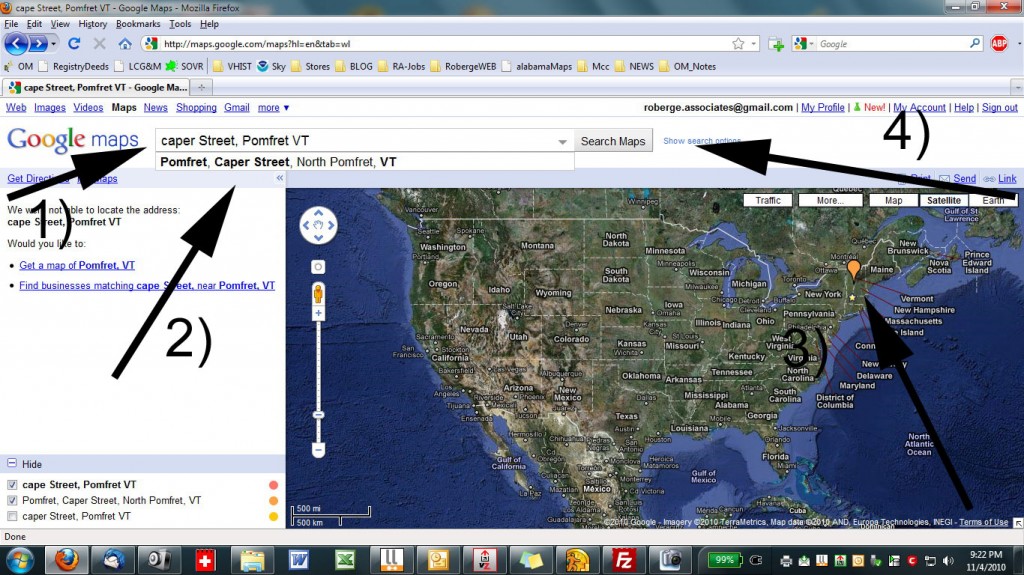
BELOW
1) Type in the address
2) Google may correct you as in this example
3) Google puts a marker on the street / address location
4) Click on SEARCH MAPS
BELOW
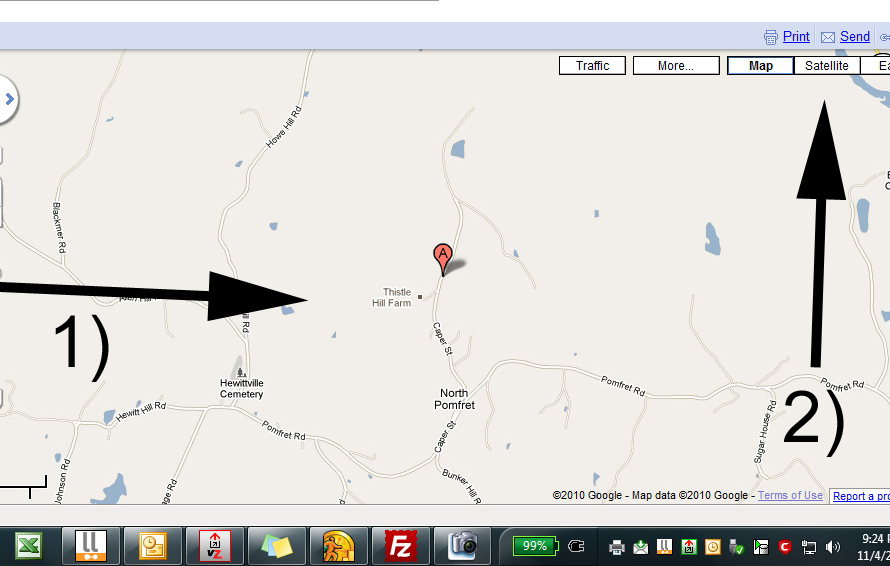
1) Google zooms in to the road / address. is this right?
2) Click on “Satellite” to see the air photo for a DOUBLE CHECK.
==========================================================================
=================================================================================
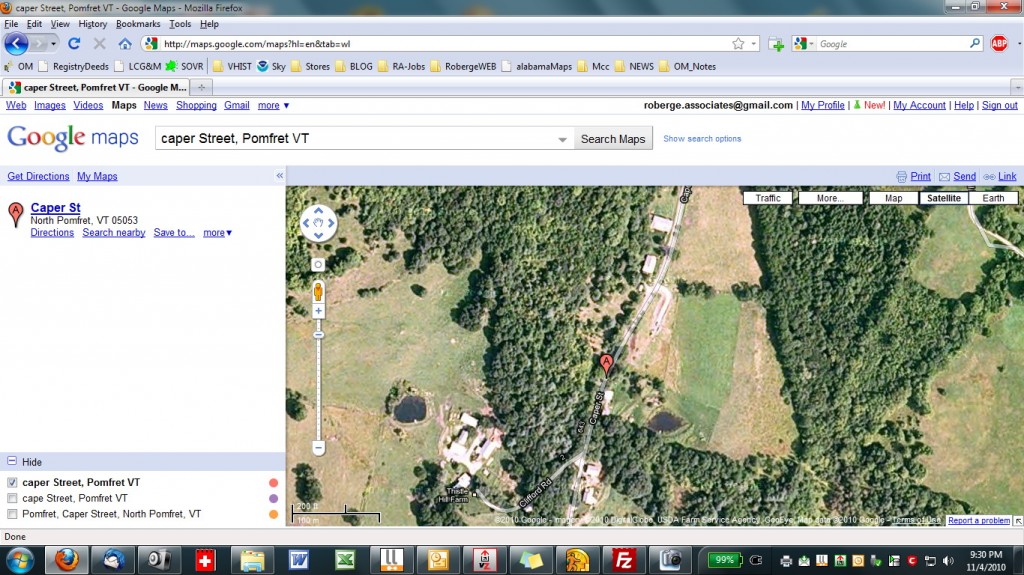
BELOW: The “Satellite” lets you DOUBLE CHECK that you have the right area.
Move the map window so that your area is in the center of the view. The Google icon will stay where it is.
After you have your area centered, go back to the “Map”.
===============================================================================
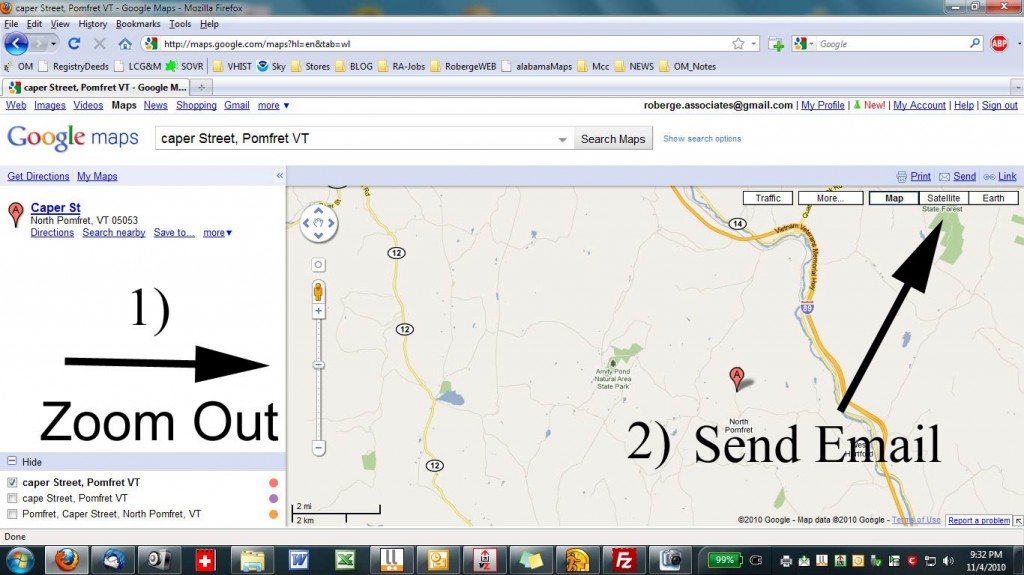
BELOW: The “Map” view is what we need.
——— 1) ZOOM OUT to provide context for us when we get your map.
——— ( We need several roads away from your house to easily find the area on the old maps.)
——— 2) Click on SEND the email
===========================================================================================
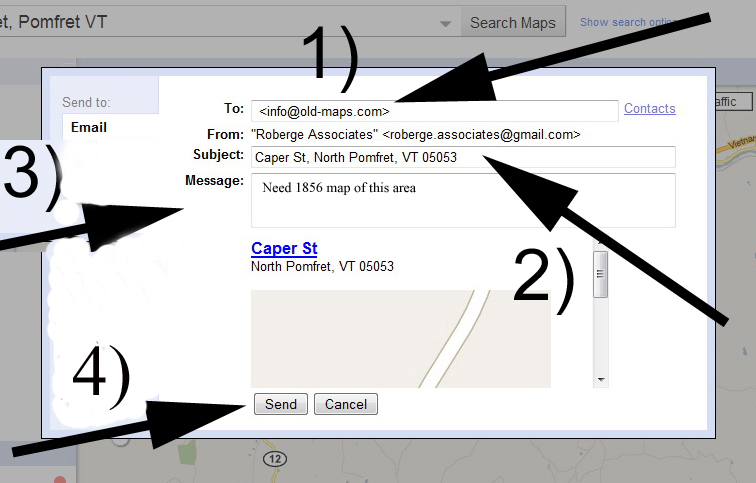
FINALLY Send us your “Map”
BELOW 1) type in our email info@old-maps.com
———- 2) type in your email below that
———- 3) tell us which old map you want (or send a separate email)
———- 4) Click “Send”
===================================================================================================